ℹ️ Navigation Panel
The Navigation Panel in ReportGuru.ai helps you instantly move across different sections of the app.
This guide explains how each part works and how you can use it effectively.
📌 Navigation Panel Overview
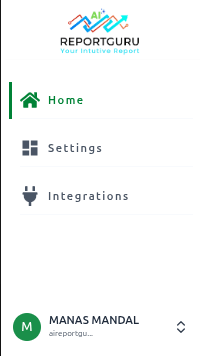
🏠 Home
Gives you a snapshot of your store’s most important data and activities. Sections include:
- Key Metrics: Total Sales, Orders, Refunds, and Repeat Customers.
- Favorite Reports: Quick access to reports you’ve marked as favorites.
- Recent Activities: Track your most recent actions inside the app.
- Integrations Overview: See the top third-party apps connected by merchants and which ones you are using.
- Popular Reports: A curated list of reports most frequently used by ReportGuru.ai users.
⚙️ Settings
Control and customize your ReportGuru.ai account. Options include:
- Account & User Information
- Data Sync Settings
🔄 Integrations
See all available third-party applications you can connect to ReportGuru.ai.
Highlights include:
- Most Popular Apps used by the community
- Recently Added Integrations
📖 Profile
Manage and customize your ReportGuru.ai account settings. In this section, you can:
- Update Profile Information – Edit your account details and preferences.
- View & Upgrade Plans – Check your current subscription and upgrade when needed.
- Access Help & Resources – Get documentation, tutorials, and support.
- Sign Out – Securely log out of your account.
If you don’t find what you’re looking for, feel free to reach out to our support team.